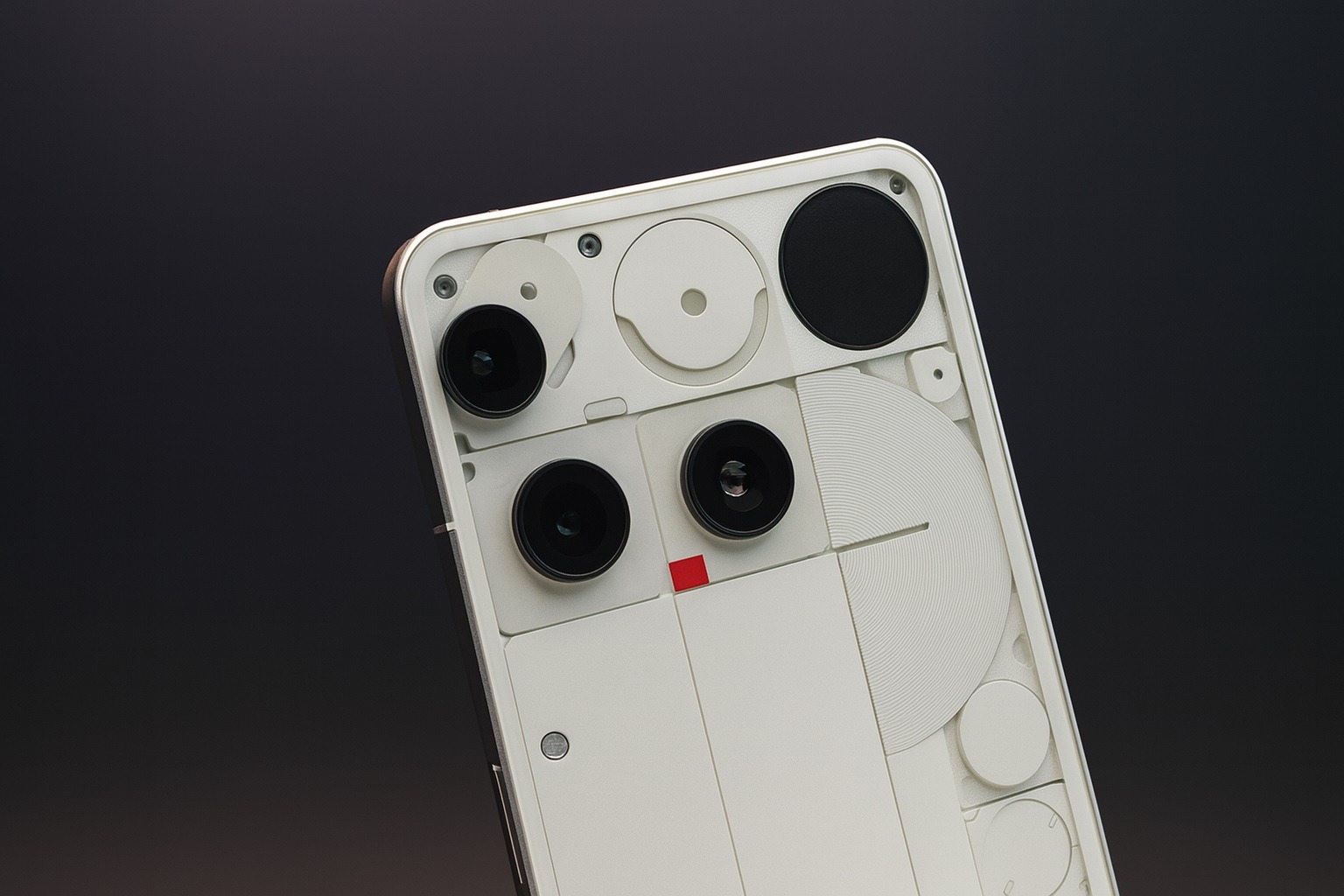

Nothing has finally circled a date on the calendar. As of today, November 20, 2025, the company has officially confirmed that its Android 16-based Nothing OS 4.0, branded “Flow”, will begin rolling out tomorrow, November 21 to supported phones after weeks of open beta testing. 9to5Google
For Nothing phone owners, this is the big platform jump they’ve been waiting for: a major Android version update bundled with a visual refresh, deeper AI smarts you can actually control, and a more polished, minimal UI.
When is Nothing OS 4.0 rolling out?
Multiple outlets, including 9to5Google, Android Authority, Droid Life, Beebom, and The Tech Outlook, all point to the same date:
- Stable Nothing OS 4.0 / Android 16 rollout starts:Friday, November 21, 2025
- Branded name: Flow
- Announcement channel: Nothing Community & Nothing’s official social accounts
Nothing’s community post and media quotes all carry the same message: beta testers have helped refine the build, and the “full announcement and rollout” begins on November 21, with the tagline “Let your phone bring flow to your life.” 9to5Google
Don’t be surprised if you don’t see the update on day one, though. Nothing and several reports stress that this is a staged rollout, starting with a subset of users before expanding as stability is confirmed.
Which Nothing phones will get Android 16 (Nothing OS 4.0) first?
Nothing hasn’t yet published a final, official device-by-device rollout chart, but the open beta device list and community reporting give a very clear picture of who’s up first.
Based on Nothing’s own beta program and corroborated coverage, the front of the queue is expected to include:
- Nothing Phone (2)
- Nothing Phone (3)
- Nothing Phone (2a) and 2a Plus
- Nothing Phone (3a) and 3a Pro
These models participated in the Android 16 open beta and are widely tipped to receive Nothing OS 4.0 on or close to day one, starting November 21.
Looking slightly further ahead, several reports expect:
- Nothing Phone (3a Lite) and newer mid-range models to join later waves
- CMF-branded phones that run Nothing OS to receive the update in line with their promised OS support timelines
Carrier variants may lag behind unlocked units depending on local certification and approval processes.
What’s new in Nothing OS 4.0 ‘Flow’?
Nothing OS 4.0 isn’t just a version bump to Android 16. It’s a design refresh plus a deeper push into AI, packaged to stay consistent with the company’s clean, monochrome aesthetic.
1. Refined design and cleaner UI
Nothing describes OS 4.0 as a sharper, more cohesive layer over Android 16:
- Standardised components and more unified UI elements
- Reworked lock screen clocks with new styles
- Cleaner Quick Settings, with simplified layouts and less visual clutter
The goal is to make the interface feel flatter, calmer, and more fluid, with transitions and animations tuned to match Nothing’s distinct Glyph-heavy design language.
2. Extra Dark Mode
One of the headline requests from the community is finally shipping:
- Extra Dark Mode pushes Nothing’s already-dark UI all the way to true-black backgrounds, improving contrast and potentially saving battery life on OLED screens.
This mode is tuned for late-night use and long reading sessions, with a deeper emphasis on comfort and power efficiency.
3. Pop-Up View and better multitasking
Nothing OS 4.0 brings upgrades to multitasking via Pop-Up View:
- Support for two floating app icons / windows so you can quickly switch tasks
- A more streamlined approach to moving between apps without going back to the full Recents screen
It’s not the most aggressive multitasking implementation on Android, but it’s designed to feel lightweight and unobtrusive, in line with Nothing’s minimalist ethos.
4. Smarter Quick Settings and lock screen customization
Under Flow, Quick Settings gets a functional tidy-up:
- Condensed 2×2 tiles for essential controls, so you see more useful toggles at a glance
- Faster, clearer brightness adjustments
- Extra Always-on Display (AOD) tuning and a more responsive lock screen
On the lock screen, users get additional clock styles and layout tweaks that pair with Nothing’s flat iconography and typography.
5. Essential Apps, Nothing Playground, and widgets
Nothing OS 4.0 leans into small, focused tools rather than heavy apps. Reports highlight:
- Expansion of the Essential Apps concept into Nothing Playground, a space for user-created widgets and mini-utilities that can be shared and installed to customize your setup without bloating your phone.
This turns the home screen into more of a modular dashboard for glanceable information and quick actions.
6. Camera upgrades and Stretch for older phones
Photography gets some love as well:
- A refreshed camera and gallery experience built on Nothing’s TrueLens Engine
- “Stretch” camera preset — previously a Phone (3) feature — coming to the Phone (2) series, subtly correcting perspective and framing for cleaner shots with less manual editing Nothing Community
This keeps older flagships feeling fresh as Android 16 lands.
7. AI features you can actually monitor and control
Unlike some Android skins that scatter AI features across menus, Nothing is framing Flow as AI with transparency:
- A system-wide AI usage dashboard to see how large language models (LLMs) are being used on your device
- Status hints to make AI activity more visible
- New toggles and controls to dial back or disable AI behaviors if you prefer a more traditional experience
This is meant to balance power and control, giving enthusiasts the features they want without forcing constant background automation on everyone.
8. General stability and quality-of-life improvements
Under the hood, Nothing OS 4.0 folds in all the platform benefits of Android 16, plus:
- Better Bluetooth and Wi‑Fi stability
- Faster access to Bluetooth recording
- Smoother lock screen and AOD interactions
- Broader performance tuning so apps launch faster and stay responsive
How the rollout will work: staged updates and carriers
Nothing and several reports are clear that this is not a massive flick-of-a-switch global launch. Expect:
- Staged OTA rollout, starting with a small percentage of users and expanding over days or weeks
- Faster updates for unlocked global variants, with slight delays on carrier-branded models while approvals are processed
- Region-by-region availability depending on local testing and certification
If you’re not in the first wave, that’s normal. This strategy helps Nothing catch any last-minute bugs without affecting the entire user base.
How to prepare your Nothing phone for the Android 16 update
Nothing’s own guidance and third‑party coverage line up on best practices before updating:
- Back up your data
- Use Google backup and/or your favorite cloud solution for photos, messages, and app data.
- Free up storage
- Major OS updates need breathing room. Aim for at least a few GB of free space to avoid installation issues.
- Charge to at least 50%
- Ideally, plug in during the update so your phone doesn’t power off mid‑install.
- Update to the latest pre-4.0 build
- If you’re on the open beta, make sure you’re on the latest beta patch. It can make the transition smoother.
- Check manually for the update
- When the rollout hits your device, you’ll likely find it under:
Settings → System → System update
- When the rollout hits your device, you’ll likely find it under:
Remember: even after the official November 21 start date, it may take some time before the update appears on your particular unit.
Why this release matters for Android 16
For Google’s own Pixel phones, Android 16 has been available since late summer, but adoption across other brands has been slower. Nothing OS 4.0 ‘Flow’ marks one of the first high-profile non‑Pixel rollouts of Android 16, bundled with a very opinionated design and AI story.
By pairing a major platform update with a clear visual identity and transparent AI controls, Nothing is positioning itself as one of the more user‑centric Android skins: clean visuals, deep customization, but guardrails for those wary of always‑on AI.
If Nothing hits its timelines and keeps the update stable, it could become a reference point for how smaller OEMs can ship fast, meaningful Android 16 updates without drowning users in complexity.
Quick FAQ: Nothing OS 4.0 and Android 16
When will Nothing OS 4.0 be released?
The stable rollout starts November 21, 2025, with a staged over‑the‑air push.
Which phones get it first?
Nothing Phone (2), Phone (3), Phone (2a/2a Plus), and Phone (3a/3a Pro) are expected in the first wave, based on the open beta device list.
Is Nothing OS 4.0 the same as Android 16?
Nothing OS 4.0 is Nothing’s custom skin on top of Android 16. You get Android 16’s core changes plus Nothing’s design, AI tools, and added features.
What’s the most controversial new feature?
That would be Lock Glimpse, a lock screen surface for timely updates and content. After community pushback, Nothing has emphasised that it’s off by default on some models and can be toggled.
How do I get the update?
Once your device is in the rollout wave, you’ll see a notification or can check under Settings → System → System update. Keep your phone charged, backed up, and on Wi‑Fi first.