Published/Updated: January 11, 2026
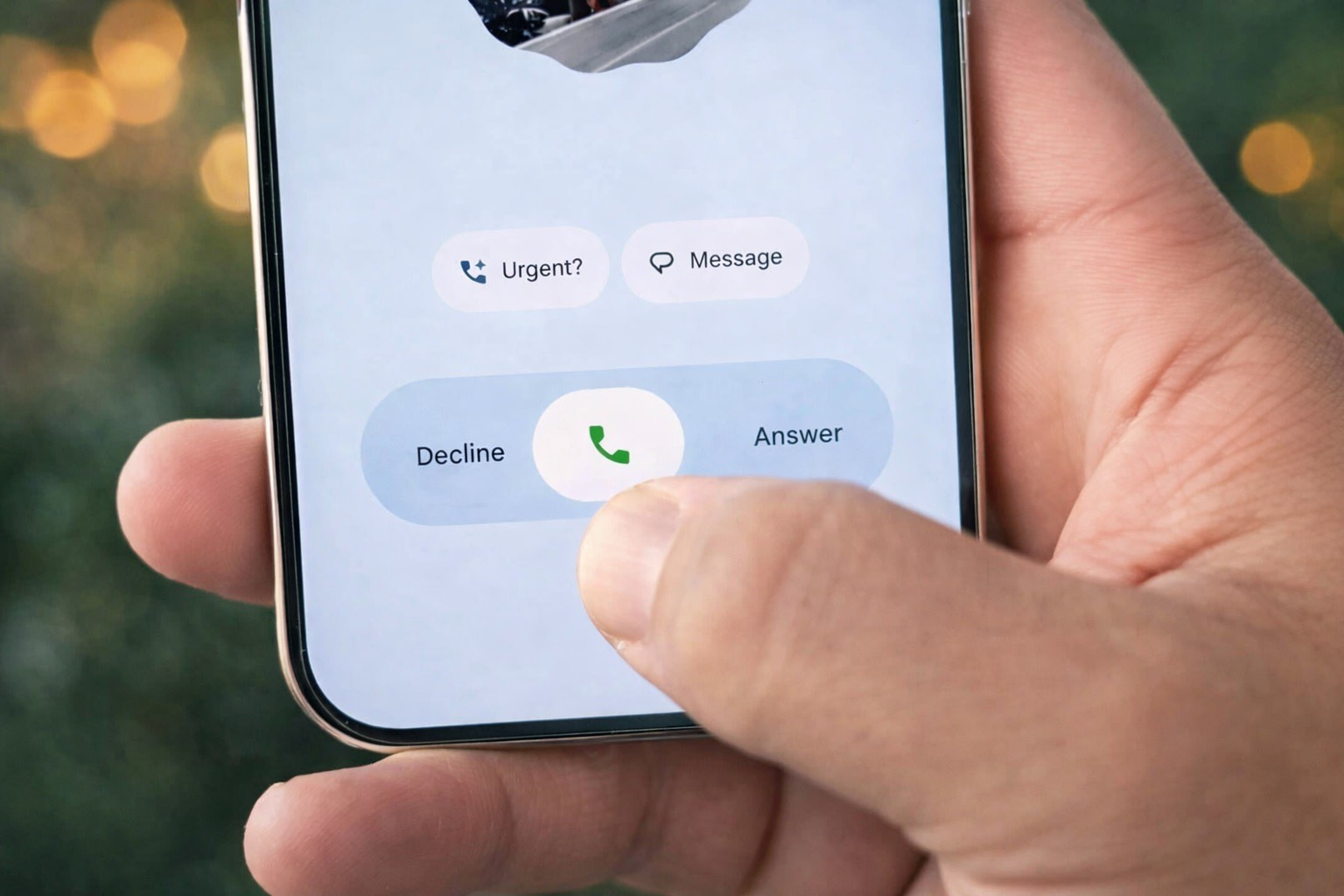
A new “My Calling Card” option spotted in the Phone by Google beta lets you customize how you appear when calling others — with photos, fonts, colors, and privacy controls.
Google’s Calling Cards feature has been one of the more “human” upgrades to Android phone calls in recent months — a way to make incoming calls feel less like a plain utility screen and more like a personalized contact experience. But there’s been a glaring gap compared with Apple’s Contact Posters: Android users could style how other people appear on their phone, yet couldn’t easily control how they themselves show up when calling someone else.
As of today, January 11, 2026, that missing piece appears to be close to changing. A new “My Calling Card” option has been enabled in the latest beta builds of Google’s Phone app, revealing a setup flow that looks nearly ready for prime time — and multiple Samsung-focused outlets say Galaxy owners may benefit, too.
What is “My Calling Card” and why it’s a big deal for Android
Calling Cards (as they exist today) let you create a more expressive full-screen look for contacts — typically by choosing a photo, selecting fonts and colors, and giving incoming calls a more modern feel. Google’s own Phone app documentation describes Calling Cards as a way to personalize calls with a full-screen image and use that experience during calls, including outgoing calls on your device.
The limitation has been about control and portability: until now, the Calling Card customization largely lived on the recipient’s phone — meaning you could make a friend’s card look great on your screen, but you couldn’t reliably set your own “poster” that would automatically appear on their screen when you called.
According to Android Authority’s latest findings, “My Calling Card” is designed to fix exactly that. Once it goes live, you’ll be able to create your own card (photo + fonts + colors), decide who can see it, and have it appear for other users when you call — especially if they haven’t already customized your card on their end.
What the leaked setup flow looks like (step-by-step)
Android Authority reports it successfully enabled “My Calling Card” inside Phone by Google version 204.0.852029473-publicbeta-pixel, and the feature appears “pretty much ready.”
Here’s the setup flow as described in that report:
- Open Phone by Google
- Go to Settings
- Tap Calling Cards
- Under My Calling Card, tap Create
- Choose the Google account you want to use
- Pick a photo from:
- Gallery
- Camera
- Google Photos
- Customize font and color
- Preview your card
- Choose who can see it:
- Contacts only
- Everyone
- Save it — then you can edit it any time later
Android Authority also notes Google’s in-app description indicates recipients will see your name, photo, and other Google info, and that your image may be cropped differently depending on screen size.
The “rules” of what people will actually see when you call
One of the most important details is how “My Calling Card” interacts with the recipient’s own settings.
Android Authority explains the logic like this:
- If the person you’re calling has already customized your Calling Card (on their phone), their version may take priority.
- If they haven’t customized anything, your My Calling Card should appear instead.
PhoneArena’s coverage echoes that same “priority” behavior: the recipient’s customized version wins, but otherwise your newly created calling card will show up on their device.
Translation: this feature is most impactful for new contacts, people who haven’t touched Calling Cards, or situations where your number is saved but not heavily customized.
Why Samsung Galaxy owners are paying attention
Samsung-focused sites are closely watching “My Calling Card” because it’s effectively the kind of polished, iPhone-like calling presentation that Galaxy users often ask for — especially as Samsung competes on experience, not just hardware.
SamMobile reports that the new “My calling card” option (spotted in the Phone by Google beta) will let users pick a photo (including from Google Photos), change font and color, and control whether it’s visible only to contacts or to everyone they call — and argues it should arrive for Android devices “including those from Samsung.”
SammyFans makes a similar point: it describes “My Calling Card” as fixing the “major issue” where you couldn’t control how you appear when calling someone else, and says the feature is already working in beta.
One practical nuance: “My Calling Card” is appearing inside Phone by Google, which is Google’s dialer app. The Play Store listing currently states the Phone app is “available on most Android devices running Android 9.0 and above,” suggesting broad device coverage beyond Pixels.
So for Galaxy owners, the key question becomes: Do you use Phone by Google as your calling app (or can you)? If yes, you’re more likely to benefit quickly once Google flips the switch in stable builds.
Privacy controls: contacts-only vs. everyone
A standout part of the “My Calling Card” flow is the visibility choice at the end.
Android Authority says you’ll be able to decide whether your Calling Card is visible only to your contacts or to everyone.
That matters because calling cards, by design, are visual and identity-forward. It’s one thing for friends and family to see a full-screen photo; it’s another for unknown numbers or first-time calls.
If you’re privacy-conscious, the contacts-only setting is likely the safer default — while people who use their number professionally (freelancers, small business owners, creators) may like the “everyone” option for branding and recognition.
When will “My Calling Card” actually launch?
There’s no official release date yet.
What we do know:
- The feature is functional in at least one recent Phone by Google beta build and appears “fully baked,” according to Android Authority’s testing.
It’s not available in stable builds for everyone today, but its presence in beta suggests a release could be approaching.
Android Authority also includes the standard warning: APK teardowns and beta-enabled features can change or even be pulled before public release.
How to prepare (without doing anything risky)
If you’re excited about “My Calling Card,” there are a few safe steps you can take today:
- Update Phone by Google via the Play Store so you’re on the newest version available to you. Google’s Play listing shows the app was updated recently (Jan 8, 2026).
If you already have Calling Cards on your device, make sure you know where that menu lives: Google documents it under Phone app → Settings → Calling card.
- If you don’t see “My Calling Card” yet, don’t assume you’re doing anything wrong — this appears to be beta/staged and may require server-side activation.
Avoid sideloading random app builds from unknown sites just to chase a leaked feature. For something tied to identity and calling, it’s better to wait for official rollout.
The bigger trend: phone calls are becoming a “social surface” again
For years, messaging apps and social platforms stole the spotlight while phone calls stayed utilitarian. Features like Calling Cards — and now “My Calling Card” — are a sign that Google wants the dialer experience to feel modern, expressive, and more personal.
If this rolls out widely, Android calls may finally match the “this is me” moment iPhone users get with Contact Posters — but with Android’s spin: more device variety, more account integration, and (hopefully) more user choice.
As of January 11, 2026, the most important takeaway is simple: Android’s Calling Cards look poised to become two-way, letting you manage not just how you see others, but how others see you when you call.