
CUPERTINO, California, Feb 5, 2026, 03:27 (PST)
- watchOS 26 introduces a new “wrist flick” gesture for quickly dismissing notifications, calls, timers, and alarms
- Apple reports that the gesture is compatible with newer Apple Watch models, such as the Series 9 and beyond
- One-handed controls are quickly emerging as a key competitive edge in smartwatches
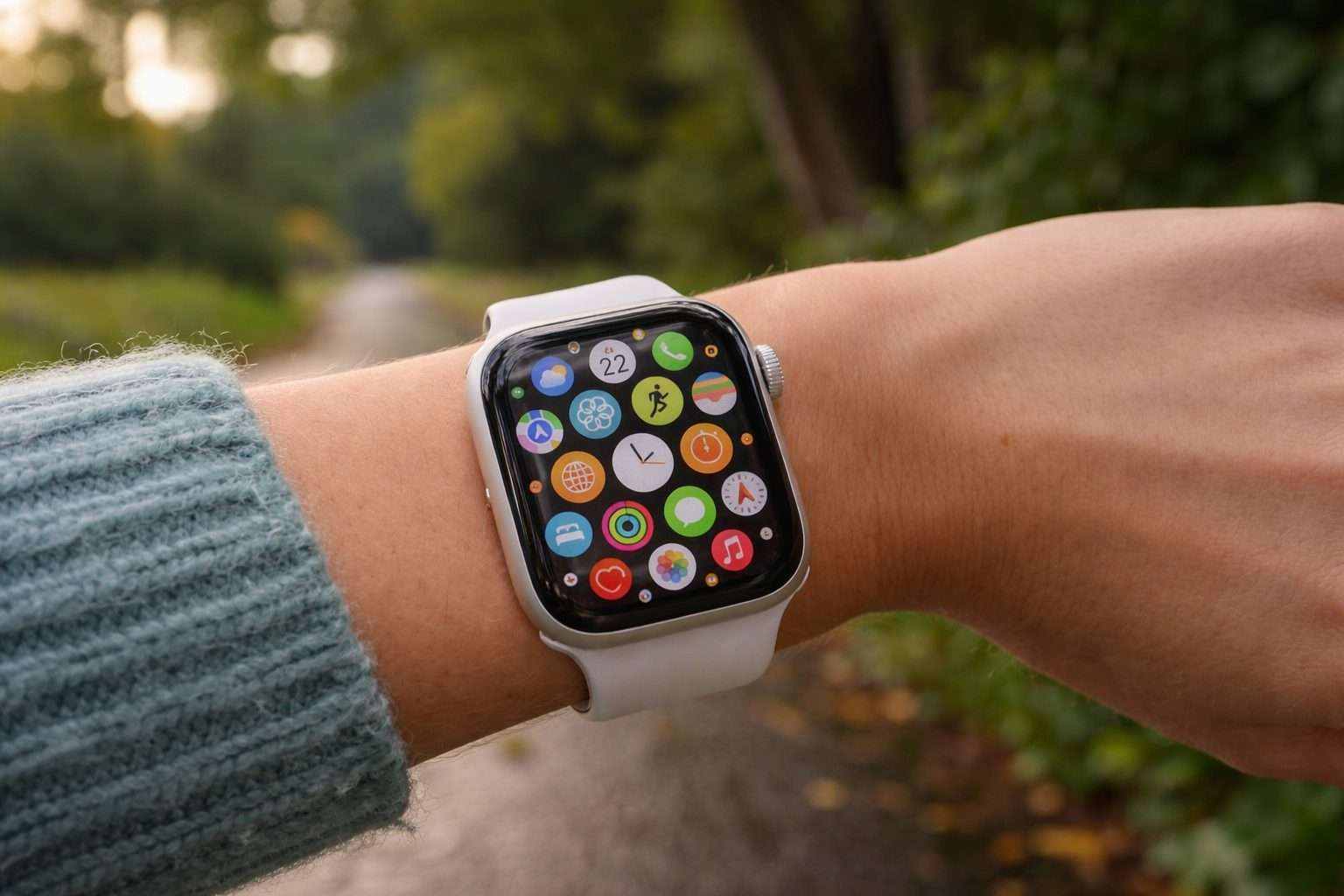
Apple introduced a new “wrist flick” gesture in watchOS 26, allowing Apple Watch users to dismiss common interruptions without tapping the screen, 9to5Mac reported Wednesday. 9to5Mac
This feature is crucial since the watch is designed for brief, distracted moments—like carrying groceries, walking the dog, or standing at a sink. Apple is pushing one-handed controls further as the Apple Watch handles more tasks traditionally done on the phone, from calls to nonstop alerts.
With watchOS 26, Apple lets users mute incoming calls, silence alarms and timers, dismiss notifications, and return to the watch face by simply rotating their wrist away and then back. The feature can be toggled on or off in the watch’s Gestures menu.
Apple states the wrist flick gesture works on Apple Watch Series 9 and newer, Apple Watch Ultra 2 and later models, plus the Apple Watch SE 3. On the watchOS 26 page, the company also notes that the full update needs an iPhone 11 or later with iOS 26 installed.
9to5Mac’s Ryan Christoffel noted that the wrist flick doesn’t just dismiss alerts—it can close apps too, letting users return to the watch face without hitting the Digital Crown. He shared that he’s relied on this gesture to clear notifications, calls, timers, alarms, and even shut apps when his hands were occupied.
Apple explained that the wrist flick feature depends on the watch’s accelerometer and gyroscope—sensors that detect motion and rotation—paired with a machine-learning model trained to recognize that specific movement. “Apple Watch is an indispensable companion for millions of people around the world,” said David Clark, Apple’s senior director of watchOS Engineering, when previewing watchOS 26 in June 2025. Apple
Rivals are gunning for similar features. Google’s Pixel Watch 4 supports a “wrist turn” gesture and a “double pinch” to manage notifications and other functions. Samsung, meanwhile, has introduced pinch-based “Universal Gestures” across its Galaxy Watch lineup, emphasizing accessibility as a key selling point. Pomoc Google
Hands-free controls, however, can be hit or miss and aren’t supported everywhere. Christoffel mentioned facing reliability problems with Apple’s earlier “double tap” gesture. Apple also confirms that wrist flick and double tap won’t work when Water Lock—a feature to block accidental touches in water—is enabled. Wsparcie Apple
Apple rolled out “double tap” in 2023, enabling users to tap their thumb and index finger together to perform common actions without needing to touch the screen. The wrist flick flips that idea—letting you clear interruptions and move forward. It’s another move toward using small gestures to ease interaction with a tiny display. Apple
Apple says wrist flick is enabled by default but can be disabled in Settings. For now, it’s designed for quick dismissal rather than full navigation — a shortcut for those seconds when an alert is loud, but the moment demands silence.