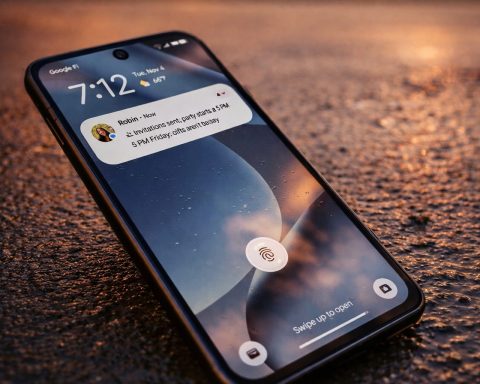
- Google is expanding the “Device health & support” dashboard from the Pixel 10 series to Pixel 6–Pixel 9 devices as part of the November 2025 Feature Drop. 1
- The dashboard replaces the old “Tips & support” page in Settings and bundles diagnostics, battery health, and support tools into a single hub. 1
- On supported models, users can now see battery capacity estimates, cycle counts and manufacturing dates, alongside device temperature, storage status, and charging diagnostics. 2
- The feature first appeared on Pixel 10 and is now backported to older Pixels as Google doubles down on long‑term support and repairability. 3
- Rollout is tied to the November 2025 Pixel Feature Drop and updated Device Health Services / Settings Services, so some users may only see a partial dashboard until all components are updated. 1
What is the new “Device health & support” dashboard?
Google’s new Device health & support dashboard is a central hub inside the Settings app that brings together virtually every tool related to the “health” of your Pixel phone: battery, temperature, storage, software updates, diagnostics, warranty, and support. 1
Earlier this year, an APK teardown showed Google preparing a revamped diagnostics menu that would consolidate scattered checkup tools into one place. Android Authority That experiment has now matured into a full‑blown dashboard that initially launched on the Pixel 10 line and is now rolling out to older Pixels. 3
Instead of a simple help page at the bottom of Settings, the new screen gives your phone something closer to a “health report card” plus direct access to troubleshooting and chat‑style support. 1
Which Pixel phones are getting Device health & support?
According to Google’s November 2025 Feature Drop notes (as summarized by Pixel community documentation and multiple reports), the dashboard is: 1
Previously a Pixel 10 exclusive, now expanded to all models from Pixel 6 through the Pixel 9 series.
In practical terms, that means the feature is intended for Pixel 6‑series through Pixel 9‑series phones, covering the mainline and Pro variants and, in typical Google fashion, likely their A‑series and Fold/XL versions within those generations.
There is no indication so far that Pixel 5 or older models will receive the dashboard, and current reporting consistently frames the rollout as starting with Pixel 6. 1
To recap:
- Already had it: Pixel 10 family
- Now getting it with November 2025 Feature Drop:
- Pixel 6 series
- Pixel 7 series
- Pixel 8 series
- Pixel 9 series
The dashboard is delivered as part of the November 2025 Feature Drop, not just a Play Store update, so you’ll need the latest system update before it appears. 1
Inside the dashboard: what it tells you about your Pixel
Reports from 9to5Google, Android Headlines and WebProNews all paint a similar picture of how the new hub is structured. 1
A status card at the top
At the top of the screen, you’ll see a card that gives a high‑level overview of your device’s condition, echoing the style of Android’s Security & privacy section. When everything is normal, you’ll see an all‑good status; if something needs attention — like a pending update or a thermal issue — the dashboard highlights that instead. 1
“Need help with your Pixel” assistant
Beneath the status, there’s a “Need help with your Pixel” section that behaves like an integrated helper or chatbot. You can describe a problem (“battery is draining quickly”, “screen feels unresponsive”), and the tool leads you through suggested checks or routes you towards support. 1
Detailed battery health
On supported phones, Battery health is the star of the show:
- Estimated remaining capacity (how much of the original battery capacity is left)
- Charge cycle counts
- Manufacturing date for the battery
These metrics had been teased in Android 16 and surfaced in earlier code hints; Google is now surfacing them in a polished, Pixel‑branded UI. 2
For users worried about degradation or considering a battery replacement, this finally puts official numbers behind that “my phone doesn’t last like it used to” feeling.
Temperature & performance monitoring
The Device temperature section gives live readings of your phone’s internal temperature, with a simple visual scale so you can tell at a glance if it’s running hotter than it should. If you’re gaming, filming 4K video, or tethering, these insights can help you decide when to back off before the phone throttles or shuts down. 2
Storage and software status
The Storage tile offers the familiar overview of used vs free space, but within the same health context, making it easier to see storage as part of device wellbeing rather than a separate menu. From here you can jump into cleanup suggestions and app/file breakdowns. 2
A Software update section surfaces whether you have pending system or security updates, tying the idea of up‑to‑date software directly to device health rather than burying it under “System.” 1
Charging diagnostics
Charging problems are notoriously hard to troubleshoot, and that’s where Charging diagnostics comes in. This area analyzes:
- Whether the cable and charger are delivering expected power
- If slow charging might be due to accessory issues or port problems
- Contextual tips when charging is abnormally slow or interrupted 2
By pointing out likely causes rather than just “charging slowly,” the dashboard could cut down on unnecessary repair visits — or reveal when it really is time to contact support.
Touch and component checks
A Touch diagnostics section lets you test for dead zones, mis‑registered taps, or other touch anomalies. Combined with component status information that appears in the Pixel Drop notes and community docs, the dashboard is increasingly a self‑service checkup center. 1
Warranty and support shortcuts
Finally, you’ll find shortcuts for:
- Warranty information
- The legacy Tips & support content
- Direct Contact support options (chat/call/callback, depending on your region) 1
Putting these in the same space as the health indicators makes it far clearer when you should escalate an issue.
Why is Google pushing a device health dashboard now?
Beyond just a nice upgrade for Pixel fans, this move fits into several broader trends highlighted by industry analysis: 2
- Seven‑year support and transparency
Google now promises up to seven years of OS and security updates on recent Pixels. A health dashboard helps justify that commitment by giving users tools to keep older hardware in good shape — or see when it’s genuinely wearing out. 2 - Right‑to‑repair and regulation
Regulators in regions like the EU have pushed for better repairability and clearer information about device longevity. Analysts note that a transparent health dashboard dovetails with those pressures by empowering consumers instead of hiding key metrics like battery capacity. 2 - Competitive pressure from Apple and Samsung
Apple’s Battery Health screen has set expectations for how much detail users should see about their batteries, while Samsung ships its own “Device Care” utilities. WebProNews points out that Google’s solution goes further in some areas by exposing temperature and charging specifics, potentially giving Pixel an edge among power users. 2
How to find the Device health & support dashboard on your Pixel
If you have a Pixel 6 or newer and you’re reading this on November 20, 2025, here’s how to check whether the dashboard has landed on your device.
1. Install the November 2025 Feature Drop
- Open Settings
- Go to System → System update
- Check for and install the November 2025 update
- Restart your phone once the update is complete
Reports from 9to5Google and Android Headlines confirm that the dashboard is tied directly to this Feature Drop for Pixel 6–9 devices. 1
2. Make sure background services are current
Google also relies on components delivered through Play services:
- Device Health Services
- Settings Services
Both sites and Google’s own guidance note that you should ensure these are up to date. On a recent Pixel build, you can verify them via:
Settings → your Google profile → All services → Privacy & security → System services 1
3. Open the new dashboard
Once your phone is updated:
- Open Settings
- Scroll all the way to the bottom
- Look for “Device health & support” (this replaces the old “Tips & support” item) 1
Android Police notes that if you still see only “Tips & support,” you may need to wait for a server‑side flip or a later patch. 4
4. Expect a phased rollout of features
Even with the dashboard visible, you might not see every tile right away. 9to5Google observed that a Pixel 7 Pro without the full November update only showed Device temperature, Storage, and Software update items, with the richer Battery health and diagnostics arriving later. 1
Early community reaction: “Drop your battery health screenshots”
As the rollout continues today, Pixel owners are already poking at the new dashboard:
- Android Police has been encouraging users on social platforms to share screenshots of their new battery health section, prompting threads full of capacity percentages and cycle count flexing. 5
- Subreddits like r/GooglePixel and r/Android have active threads discussing which models and regions are seeing the dashboard and comparing results from the new metrics. 6
Alongside the fun of comparing numbers, there’s a serious angle: users can now back up support complaints with data. Instead of saying “my battery feels bad,” a user can say “I’m at 74% of original capacity after 700 cycles,” which may help with warranty claims or repair decisions.
How it stacks up against other platforms
From a competitive perspective, Google’s move positions Pixel more strongly:
- Versus Apple: iOS exposes battery capacity but less context about temperature or charger quality. Google’s dashboard adds those extra layers, plus integrated diagnostics for touch and charging. 2
- Versus Samsung and other Android OEMs: Many already ship “health” utilities, but Google owns the Android stack and can integrate deeper OS‑level features like cycle counts and system‑service checks in a standardized way — at least for Pixels. 2
If Google eventually expands this beyond Pixel or ships APIs that OEMs can tap into, today’s dashboard could be a preview of system‑wide Android health tooling.
FAQ: Google Pixel Device health & support dashboard
Which Pixel models support Device health & support?
As of November 20, 2025, the dashboard is available on:
- Pixel 10 series (already had it)
- Pixel 6, 7, 8, and 9 series, via the November 2025 Feature Drop 1
Google has not announced support for Pixel 5 or earlier, and those devices are not mentioned in current reports.
Why don’t I see battery capacity or cycle counts?
There are three common reasons:
- Your phone hasn’t received the full November Feature Drop yet.
- Device Health Services / Settings Services haven’t updated on your device. 1
- Some metrics may be limited by hardware generation, with newer Pixels exposing more detailed stats. Current coverage indicates that Pixel 10 models get the richest data, and Pixel 6–9 pick up the new UI and key metrics like capacity and cycles. 2
Is this just cosmetic, or does it actually change support?
Functionally, the dashboard doesn’t alter your warranty, but it:
- Gives you clearer data to decide when to repair or replace
- Offers faster routes to Google support
- May streamline troubleshooting by bundling diagnostics and support entry points in one place 2
In combination with seven‑year update promises on newer Pixels, it signals a more service‑oriented, long‑term view of Android hardware from Google. 2
Bottom line
For November 20, 2025, this is one of the most meaningful Pixel updates in the latest Feature Drop: it doesn’t just add a flashy new AI trick, it gives owners of Pixel 6 through Pixel 9 real visibility into the health of phones they may plan to keep for years.
If you own a recent Pixel, it’s worth installing the November update, diving into Settings → Device health & support, and seeing what your phone has to say about itself.