A viral post claims a Google service center in Delhi blamed a Pixel’s swollen battery on a Samsung charger. Here’s what’s known, what Google’s own charging guidance says, and how to stay safe.
A new controversy around Google Pixel battery swelling is spreading today after a social media post alleged that a Google service center in Delhi told a customer her Pixel’s bulging battery was caused by using a Samsung charger. The claim has sparked a wave of debate over USB‑C charging compatibility, how warranty cases are handled at repair counters, and what actually causes lithium batteries to swell. [1]
Below is what’s been reported so far, why the “Samsung charger caused it” explanation is being challenged, and what you should do immediately if your Pixel (or any phone) shows signs of a swollen battery.
What happened in Delhi: the report that triggered the backlash
The story began with an X (formerly Twitter) post from Parth Monish Kohli (@Pmkphotoworks), who said he overheard an exchange at a Google service center in Delhi. In the post, a woman reportedly asked why her Pixel battery had swollen. The representative allegedly asked what charger she used; when she answered “Samsung,” he replied along the lines of “that’s the reason.” [2]
Tech sites quickly amplified the post. Wccftech’s write‑up notes the Pixel model wasn’t specified and that the social post doesn’t clearly show what service outcome the customer ultimately received (repair, refusal, paid quote, etc.). [3]
PiunikaWeb also covered the incident today, framing it as an example of how confusing (and sometimes inconsistent) customer support messaging can become when hardware issues intersect with accessory use. [4]
Important caveat: this is, so far, an account of a reported conversation shared on social media. There is no official, public statement tied to this specific service-center interaction in the reporting available today. [5]
Why the “Samsung charger caused the swollen Pixel battery” claim is being questioned
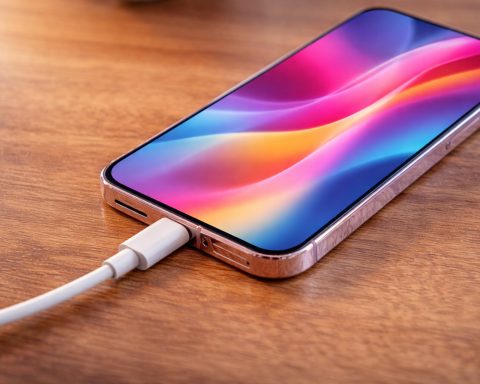
1) Google’s own Pixel charging guidance allows third‑party USB‑C PD chargers
In Google’s official help documentation on charging Pixel phones, the company lists multiple acceptable options beyond Google-branded adapters. Specifically, Google says you can use:
- Any PPS (Programmable Power Supply) power adapter rated for 30W or more, or
- Other USB Power Delivery (PD) adapters rated for 15W or more
(alongside Google’s own 30W/45W/67W chargers). [6]
That guidance is a major reason many observers find it hard to accept a blanket claim that simply using a Samsung charger (especially a genuine, standards-compliant model) would inherently cause battery swelling.
2) Modern fast charging relies on negotiation, not “forced power”
As PiunikaWeb notes in today’s coverage, most modern phones (including Pixels) charge using standardized protocols such as USB Power Delivery, where the charger and phone negotiate voltage/current rather than the charger blindly pushing maximum power into the device. [7]
In plain English: with a reputable USB‑C PD/PPS charger, the phone typically requests what it can safely accept.
3) The bigger issue may be which charger — not the logo on it
None of the reporting establishes whether the charger in question was:
- the exact model/wattage,
- genuine or counterfeit,
- damaged,
- used with a poor-quality cable,
- or used in conditions that create excess heat.
Without those details, pinning a swollen battery on “Samsung” as a brand is a weak technical explanation—especially given Google’s own compatibility guidance. [8]
What actually causes phone batteries to swell?
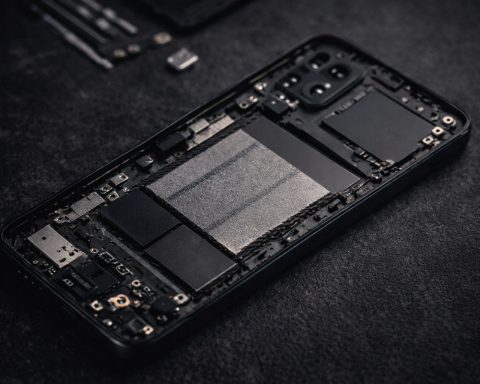
Battery swelling is typically linked to gas buildup inside lithium cells, which can be triggered or worsened by factors such as:
- heat exposure over time,
- battery aging and wear,
- manufacturing variance/defects in a subset of units,
- physical damage,
- or abnormal charging/thermal conditions.
Google itself has acknowledged battery swelling can occur in certain devices. A clear example is Google’s Extended Repair Program for Pixel 7a, where Google states that certain Pixel 7a phones may experience unexpected battery swelling and lists symptoms such as visible bulging, separation/gaps, and fast battery drain/failure to charge. [9]
And Pixel battery concerns haven’t been limited to one model. In 2025, Google also pushed battery-related mitigation steps for a subset of Pixel 6a devices via a mandatory update intended to reduce overheating risk, including reduced capacity and charging performance after a set number of cycles. [10]
Separately, multiple reports and community threads across 2025 have highlighted swelling complaints involving Pixel 7 / Pixel 7 Pro, with mixed user experiences when seeking support. [11]
Why this story matters beyond one repair counter
Whether the Delhi exchange was a misunderstanding, poor training, or a one-off attempt to deflect responsibility, the episode touches a real and growing consumer issue:
- Phones often ship without chargers, so people reuse existing adapters (Samsung, Apple, Anker, etc.). That makes consistent guidance critical. [12]
- Battery swelling is a safety issue, not just an inconvenience—especially if it lifts screens, breaks seals, or damages internal components. [13]
- Mixed messages at service centers can undermine trust—even when official documentation says cross‑brand charging is acceptable. [14]
What to do right now if your Pixel battery is swelling
If your Pixel looks thicker than usual, the back is bulging, the screen is lifting, or seams are separating, treat it as urgent.
Immediate safety steps
- Stop charging and unplug immediately.
- Power the phone off if you can do so safely.
- Do not press on the bulge and do not puncture the device.
- Place it on a non-flammable surface away from heat sources and flammable materials.
- Seek professional inspection and battery replacement through an authorized repair route.
Google’s community guidance on swollen batteries emphasizes prompt inspection/replacement by qualified repair service and not continuing to use the device. [15]
Document the issue
Before handing the phone over (if safe):
- Take clear photos of the bulge/separation,
- note the device model and purchase date,
- and record any battery symptoms (rapid drain, charging failures, overheating episodes).
Check if you qualify for an official repair program
If you own a Pixel 7a, Google’s Extended Repair Program outlines eligibility and symptoms for a no-charge battery replacement (in qualifying cases). [16]
How to choose a charger for Pixel safely (and avoid warranty headaches)
Based on Google’s own charging guidance, focus less on brand and more on standards and quality:
- Prefer a USB‑C Power Delivery (PD) charger; for best fast charging, a PPS charger is often recommended. [17]
- Use reputable, undamaged cables (USB‑C to USB‑C when possible).
- Avoid ultra-cheap, unbranded adapters (counterfeit risk is real in many markets).
- If charging causes noticeable heat repeatedly, reassess the setup and environment.
Google explicitly lists PD/PPS adapters as supported options for charging Pixel phones, which strongly suggests cross-brand use is normal when the charger meets the spec. [18]
The bottom line
Today’s reporting centers on a viral claim that a Delhi Google service center blamed a Pixel swollen battery on a Samsung charger. While the moment has gone viral, it’s not presented as an official Google policy—yet it clashes with what Google publicly says about compatible Pixel chargers (USB‑C PD and PPS). [19]
If there’s one practical takeaway: battery swelling is a safety issue first. Stop charging, power down, document the condition, and pursue a qualified repair path—then, when replacing your charging setup, prioritize PD/PPS compliance and reputable hardware over brand loyalty. [20]

References
1. x.com, 2. x.com, 3. wccftech.com, 4. piunikaweb.com, 5. piunikaweb.com, 6. support.google.com, 7. piunikaweb.com, 8. wccftech.com, 9. support.google.com, 10. www.theverge.com, 11. www.androidcentral.com, 12. www.sammyfans.com, 13. support.google.com, 14. support.google.com, 15. support.google.com, 16. support.google.com, 17. support.google.com, 18. support.google.com, 19. x.com, 20. support.google.com