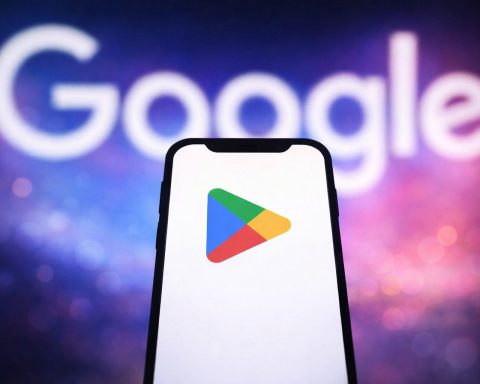
As the Google Play Store gets smaller and stricter, great apps are easier to miss. Here are four overlooked Android apps—Nintendo Music, Apple TV, Blackmagic Camera, and Steam—that can seriously upgrade listening, streaming, filming, and gaming in late 2025. [1]
If your Android phone’s home screen looks like most people’s—messages, a browser, a couple social apps, a camera icon, and maybe Spotify—you’re not alone. But the “I already have everything I need” mindset is exactly why some of the most useful apps on Android fly under the radar.
This matters more now than it did a year or two ago. The Play Store isn’t just huge—it’s changing. A widely cited Appfigures analysis reported that Google Play dropped from about 3.4 million apps to around 1.8 million between early 2024 and April 2025, a 47% decline that reflects tougher quality rules and enforcement. [2]
And Google has been pruning not only apps, but entire features that never really caught on. Google Play Instant (Instant Apps) is being phased out starting December 2025, with publishing and Instant APIs no longer working and users no longer being served Instant Apps. [3]
So as 2025 wraps up, it’s worth looking at the opposite side of the “too many apps” problem: the apps that are genuinely good—but still strangely underused. A late-December roundup highlighted four that fit that description perfectly: Nintendo Music, Apple TV, Blackmagic Camera, and Steam. [4]
Below is what each one does, why so many Android users skip it, and how to get value from it immediately.
1) Nintendo Music: the Switch Online perk many members never claim
Why it’s overlooked: Many people treat Nintendo music as “YouTube background” or “something you’d only use on a Switch.” Some don’t even realize it exists—or that they already pay for access.
Nintendo Music is Nintendo’s official smart-device app for streaming Nintendo soundtracks, offered at no additional cost for Nintendo Switch Online members. [5]
Nintendo also positions it as a feature-rich app: you can stream or download soundtracks, create playlists, and browse music in multiple ways. [6]
What to try today on Android
- Use “Extend to…” for focus music. Nintendo’s support documentation explains that “Extend to…” can stretch eligible tracks to 5, 10, 15, 30, or 60 minutes, which is tailor-made for studying or background listening. [7]
- Check your Nintendo Music 2025: Year in Review (limited-time). Nintendo added a Year in Review section that shows your most-played songs and playlists, but it’s only available until Monday, Jan. 5, 2026 at 4:59 p.m. PST—so this is one of those “do it now” features. [8]
Who should install it
- Switch owners with an active Nintendo Switch Online membership who want a “real” music app experience for game soundtracks (offline downloads, curated listening, and long-form background playback). [9]
2) Apple TV on Android: now with Google Cast, and 2026 is about to get bigger
Why it’s overlooked: The name “Apple TV” alone makes many Android users assume it’s not for them—or not worth bothering with if they don’t own Apple hardware.
But Apple has been steadily expanding Apple TV access, and Android has become part of that strategy. Earlier this month, the Android version of the Apple TV app gained a feature that removes one of its most obvious drawbacks: Google Cast support.
The late-2025 update that changes everything for Android users
According to reporting on the update, Apple TV for Android now shows a Cast icon in the interface, letting you cast to compatible devices (like Chromecast / Google TV) and control playback from your phone. [10]
The Verge notes that this Cast support is exclusive to the Android version of the Apple TV app (and the Android app still doesn’t add AirPlay). [11]
If you’ve ever dismissed Apple TV on Android because it felt “trapped on the phone,” this is the update that makes it feel like a first-class streaming option.
Why this app is suddenly more relevant as 2025 ends
Apple and Major League Soccer announced a major shift: starting in 2026, all MLS matches will be available to stream for Apple TV subscribers at no additional cost, and the standalone MLS Season Pass subscription will conclude at the end of the 2025 season. [12]
For sports fans, that’s not just “nice to have”—it changes the value proposition of having the Apple TV app installed, even if you live entirely in the Android ecosystem.
What to watch first
One late-December list of “apps Android users rarely use” points out that Apple TV is also where many of Apple’s biggest originals live, including series like Severance, Foundation, Slow Horses, Shrinking, Silo, and Ted Lasso. [13]
Quick setup tips
- Update the Apple TV app on Android so the Cast feature is available. [14]
- Look for the Cast icon in the app interface and select a compatible TV or streaming device. [15]
- If you care about live soccer next year, keep an eye on how Apple rolls MLS into the Apple TV subscription in 2026. [16]
3) Blackmagic Camera: pro-level control that makes your phone feel like a “real” camera
Why it’s overlooked: Your phone already has a Camera app. And most people assume “pro camera apps” are either gimmicky or too complicated.
Blackmagic Camera for Android is in a different class. ProVideo Coalition describes it as bringing Blackmagic’s digital film camera controls and image processing to Android smartphones—aimed at delivering a more cinematic look. [17]
What’s new and why creators care (late 2025)
A November 26, 2025 report on the app’s Android update says Blackmagic Camera (version 3.2.0.0058) added:
- Custom live streaming targets
- Streaming to third-party platforms using SRT
- H.265 support on supported live stream services
- Fixes for Zebra and False Color calibration
- General performance and stability improvements [18]
(As the report notes, some features are device-dependent.) [19]
The “why should I switch?” argument
A late-December roundup also calls out two standout advantages:
- Support for shooting in Open Gate aspect ratio (useful for reframing across platforms). [20]
- Integration with Blackmagic Cloud workflows, especially for teams editing in DaVinci Resolve. [21]
In other words, this isn’t about adding cute filters. It’s about turning your phone into something you can use for serious video—whether that’s a YouTube channel, a multi-camera shoot, or a live stream where reliability matters.
Who should install it
- Anyone making consistent video content who wants more control than the default camera app provides. [22]
- Streamers interested in SRT workflows and more advanced streaming targets. [23]
4) Steam on Android: it’s not a “mobile gaming” app—it’s your PC gaming command center
Why it’s overlooked: Steam is “on my computer,” so why would I want it on my phone?
Because Steam on Android isn’t trying to replace PC gaming—it’s trying to make everything around PC gaming frictionless: account protection, shopping during sales, and staying connected when you’re away from your desktop.
The Steam Mobile App’s Play Store description highlights the basics: chat, shop, and protect your account while you’re on the go. [24]
A late-December apps roundup also points to the day-to-day advantages: monitoring Steam Sales, managing your library, and using Steam Guard when signing in. [25]
Why this matters right now
Valve is also modernizing the broader Steam ecosystem. In late December 2025, coverage of Steam’s Windows client notes the move to a fully 64‑bit application on Windows, with 32‑bit Windows users placed onto a legacy branch that stops receiving updates in 2026 (with an end-of-updates date cited as January 1, 2026). [26]
That kind of transition is a reminder: your Steam account is a long-term digital “locker” for purchases. Keeping it secure—and easy to access—is exactly what the mobile app helps with.
Who should install it
- Anyone who buys games on Steam even occasionally (especially during major sales). [27]
- Anyone who wants easier sign-ins and stronger account protection when logging in away from home. [28]
The bigger picture: “rarely used” is becoming a theme in Android’s ecosystem
Here’s the irony: Android is famous for endless choice, but 2025 has been a year of platforms admitting that unused features and low-quality options don’t help anyone.
Two trendlines show this clearly:
- The Play Store is smaller than it was. A TechCrunch report cites analysis that Play Store listings dropped from about 3.4 million to around 1.8 million from early 2024 to April 2025, driven in part by stricter quality policies and enforcement. [29]
- Instant Apps are going away. Android’s own developer documentation warns that Google Play Instant will no longer be available; starting December 2025, Instant Apps can’t be published, Instant APIs stop working, and users won’t be served Instant Apps by Play. [30]
The practical takeaway for everyday users: you may see fewer “random” or “filler” app experiences over time—but you’ll still need good recommendations to find the apps that are genuinely worth space on your phone.
Bottom line: if you install only one of these, pick the one you already “paid for”
If you have Nintendo Switch Online and haven’t tried Nintendo Music, you might be skipping a perk you’re already funding. [31]
If you’ve avoided Apple TV on Android, Google Cast support makes it far more practical—and 2026’s MLS shift is a strong reason to keep it on your device. [32]
If you create video, Blackmagic Camera is a real upgrade in control and workflow. [33]
And if you buy PC games, Steam on Android is the kind of “quietly essential” app that becomes invaluable the moment you need it. [34]

References
1. www.bgr.com, 2. techcrunch.com, 3. developer.android.com, 4. www.bgr.com, 5. www.nintendo.com, 6. www.nintendo.com, 7. support.music.nintendo.com, 8. www.nintendo.com, 9. www.nintendo.com, 10. 9to5google.com, 11. www.theverge.com, 12. www.apple.com, 13. www.bgr.com, 14. 9to5google.com, 15. 9to5google.com, 16. www.apple.com, 17. www.provideocoalition.com, 18. www.provideocoalition.com, 19. www.provideocoalition.com, 20. www.bgr.com, 21. www.bgr.com, 22. www.provideocoalition.com, 23. www.provideocoalition.com, 24. play.google.com, 25. www.bgr.com, 26. www.tomshardware.com, 27. www.bgr.com, 28. www.bgr.com, 29. techcrunch.com, 30. developer.android.com, 31. www.nintendo.com, 32. 9to5google.com, 33. www.provideocoalition.com, 34. play.google.com