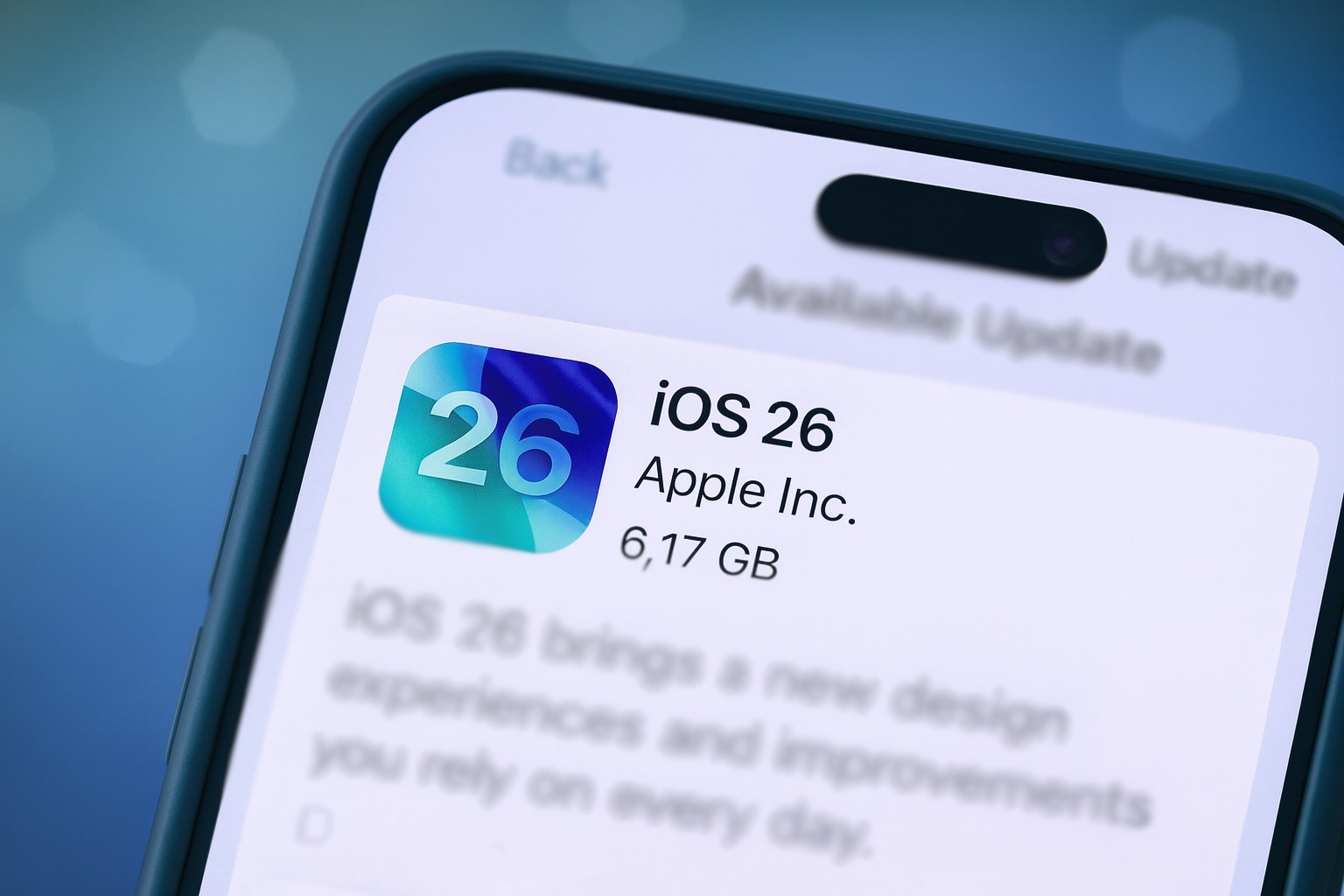
Apple’s iOS 26 cycle is entering a crucial phase. As of today, December 1, 2025, iOS 26.2 is in late beta, a fresh wave of reports is zeroing in on its release date and battery life, and users are still discovering underrated gems in iOS 26.1. Here’s a complete, news-driven overview of what’s coming next to your iPhone — and what you can already use right now.
iOS 26.2 release date: what we know on December 1, 2025
Apple officially launched iOS 26 in mid‑September alongside the latest iPhone lineup, positioning it as a major redesign with the new “Liquid Glass” look, deep Apple Intelligence features, and big upgrades for Phone, Messages, Maps, CarPlay and more. 1
Since then, all eyes have shifted to iOS 26.2 — the second major update in the cycle — and today’s reporting gives the clearest picture yet of when it should land:
- Apple’s own developer site confirms that iOS 26.2 betas are already available, indicating the update is in the final stages of testing across all major platforms. 2
- MacRumors’ latest guide expects iOS 26.2 to ship sometime between December 9 and December 16, based on Apple’s usual cadence and the current beta schedule. 3
- A fresh Geeky Gadgets report published today goes even further: it says the Release Candidate (RC) build is expected around December 1–2, with a public release targeted for December 8. 4
- Accessory brand Zeera Wireless, tracking the CarPlay changes in 26.2, also pegs the rollout for “early to mid‑December 2025,” lining up with that window. 5
- Tech journalist David Phelan’s Forbes analysis, summarized on his MuckRack profile, continues to predict a mid‑December launch and even floats Monday December 15 or Tuesday December 16 as likely dates. 6
- A new Forbes column from Zak Doffman today points out that iOS 26.1 arrived later than expected (early November instead of late October), breaking Apple’s recent pattern and prompting the question of whether iOS 26.2 could slip as well. 7
Put together, the consensus as of December 1, 2025 is:
iOS 26.2 should arrive in the first half of December, with most reporting converging on December 8–16 as the realistic window — unless Apple hits an unexpected last‑minute bug.
The biggest new features coming in iOS 26.2
While the headline story is “when,” the more important question for most people is “why should I care?” Thanks to multiple betas and in‑depth coverage, we already have a very clear view of what iOS 26.2 will bring.
1. Lock Screen and Liquid Glass: real control at last
iOS 26’s Liquid Glass design has been one of the most divisive visual changes Apple has made in years. iOS 26.2 is Apple’s attempt to give users more control rather than forcing a single aesthetic.
From the current betas and reporting:
- New Lock Screen Liquid Glass slider – You can now adjust how transparent or “frosted” the clock looks on the Lock Screen, ranging from almost clear to heavily diffused. 3
- Separate “Solid” mode – If you’re done with Liquid Glass entirely, you can switch the clock to a more traditional, opaque look. 3
- Tinted mode vs Accessibility – Coverage from Heise notes that the “Tinted” Liquid Glass option now explicitly warns you that it can’t be used with certain accessibility settings like “Increase Contrast” and “Reduce Transparency,” and can automatically toggle those off if needed. 8
Today’s Geeky Gadgets article also highlights smoother animations and performance refinements as part of Apple’s answer to complaints that the Liquid Glass effect can feel heavy and power‑hungry, especially on older or smaller devices. 4
2. Smarter Reminders with built‑in alarms
Starting with iOS 26.2, Reminders behaves much more like a lightweight to‑do app and alarm clock:
- New “Urgent” toggle lets you attach an alarm that actually rings when a reminder is due.
- When the alarm fires, it gets its own Lock Screen interface with a snooze option, slide‑to‑stop control, countdown timer and a clear way to mark the reminder as complete or reschedule it. 3
This bridges a long‑standing gap between Reminders and the Clock app and is one of the most practical quality‑of‑life tweaks in the update.
3. AirDrop one‑time codes for safer sharing
iOS 26.2 upgrades AirDrop so it works better with people who aren’t in your contacts:
- You can generate a one‑time AirDrop code and share it with someone nearby.
- That code allows file sharing between your devices for up to 30 days without forcing you to add each other as contacts.
- You can manage or revoke those temporary connections in Settings → General → AirDrop → Manage Known AirDrop Contacts. 3
In practice, this should make AirDrop less awkward for conferences, events, or one‑off collaborations — while still giving you control over who can send you stuff.
4. Apple Music, Podcasts, Games and more: app‑level polish
Multiple first‑party apps get meaningful upgrades in iOS 26.2:
- Apple Music – Adds offline lyrics, so you can follow along even without a data connection. 3
- Podcasts – Gains auto‑generated chapters, the ability to jump to other shows mentioned in an episode, and direct access to links referenced in the transcript. 3
- Games – The Games app now lets you sort titles by size, supports controller navigation, and shows live challenge updates while you play. 3
- Freeform – Finally supports tables, making it easier to build structured boards and flowcharts. 3
- Apple News – Adds quicker top‑of‑screen filters for categories like sports, puzzles, business and politics, plus a dedicated Following tab separated from search. 3
These aren’t headline‑grabbing changes individually, but collectively they make day‑to‑day iPhone use feel more cohesive.
5. Health, alerts and accessibility upgrades
For everyday life, some of the most impactful changes will be the subtle ones:
- Sleep Score recalibration – iOS 26.2 adjusts the scoring bands used for sleep tracking with Apple Watch, renaming the top tier from “Excellent” to “Very High” and shifting the ranges to better match how people actually feel after a night’s sleep. 3
- Enhanced Safety Alerts – A new section in Notifications lets you fine‑tune earthquake alerts, imminent threat warnings, and location‑aware “improved alert delivery” so life‑saving messages are more reliable without being overwhelming. 3
- Flash for Alerts upgrade – You can now have the screen flash for notifications (not just the rear LED) or enable both at once, which is especially useful for accessibility. 3
- Weather app tweaks – Hidden code suggests more natural wording like “next Friday” for upcoming weather alerts. 3
6. AirPods Live Translation expansion and EU/JP changes
Apple continues to lean into Apple Intelligence and regulatory requirements:
- AirPods Live Translation – The on‑the‑fly translation feature expands to EU users in iOS 26.2 after an earlier delay tied to Digital Markets Act compliance. It now supports English, French, German, Portuguese, Spanish, Italian, both Simplified and Traditional Chinese, Japanese and Korean. 3
- Japan‑only Siri replacement (for now) – Code and documentation show that iPhone users in Japan will be able to choose an alternative voice assistant — such as Google’s Gemini or Amazon’s Alexa — for the long‑press Side Button, but only with Japanese Apple IDs and within Japan. 3
- Alternative app stores and Texas‑specific rules – iOS 26.2 also lays groundwork for third‑party app marketplaces in Japan and tools to help developers comply with upcoming App Store regulations in Texas. 3
7. CarPlay: more info, less clutter
CarPlay is quietly one of the big winners in this update:
- More widget stacks on screen – Some drivers are now seeing up to three widget stacks visible at once in CarPlay, making it easier to glance at music, navigation, weather and more without hopping between screens. 5
- Pinned conversation toggle – iOS 26.2 adds a switch in CarPlay Settings that lets you disable pinned conversations in Messages, which is handy for smaller screens where pins can crowd the UI. 5
Combined with the CarPlay design work Apple already shipped in iOS 26, this makes the in‑car experience feel more like an extension of the new OS rather than an entirely separate world. 9
iOS 26.1 right now: 5 features users actually love
While we wait for 26.2, iOS 26.1 is already live — and a piece from BGR published yesterday has done a good job of surfacing the features real users are most excited about. 10
Here are the standout additions you can use today:
- Toggle for Lock Screen swipe‑to‑camera
For years, swiping left on the Lock Screen has opened the Camera. In 26.1, there’s finally a setting to disable that gesture, which is a big win for people who constantly trigger the camera while trying to clear notifications or use the flashlight. You’ll find it in Settings → Camera → Lock Screen Swipe to Open Camera. 10 - Slide to Stop for alarms and timers
Instead of tiny Stop/Snooze buttons, iOS 26.1 brings a Slide to Stop control that reduces accidental taps and forces you to be slightly more awake to turn an alarm off. If you hate it, you can switch back via Accessibility’s Prefer Single‑Touch Actions option. 10 - A more visible video scrubber in Photos
The original iOS 26 design used a floating line for video scrubbing that basically vanished over darker footage, especially for landscape videos viewed in portrait orientation. 26.1 redesigns this with a clear background bar and integrated playback controls, making it far easier to see and use. 10 - Swipe to switch songs in the Apple Music MiniPlayer
Borrowing a very popular gesture from Spotify, Apple Music in 26.1 now lets you swipe left or right on the MiniPlayer to jump to the previous or next track — both in the MiniPlayer and on the Now Playing screen. 10 - More languages for AirPods Live Translation
AirPods Live Translation launched with just five languages. iOS 26.1 adds Italian, Korean, Japanese and both Traditional and Simplified Chinese, making the feature far more practical for travelers and multilingual households. 10
Beyond those user‑favorite tweaks, other outlets have highlighted that 26.1 also:
- Introduces a toggle to reduce the Liquid Glass effect, answering early complaints about the visuals. 11
- Ships with important security fixes, listed in Apple’s official security update overview for iOS 26.1 and iPadOS 26.1. 12
The Liquid Glass controversy and today’s battery‑life update
Liquid Glass is the visual signature of iOS 26 — a glossy, refraction‑heavy treatment that spans Lock Screen, Home Screen, Control Center and major Apple apps. Apple pitches it as a unified, fluid design language. 13
But some early adopters complained that:
- The look is too busy or “over‑animated”.
- On certain iPhones, especially older or smaller models, enabling all the Liquid Glass effects seemed to hurt battery life.
That’s why today’s Geeky Gadgets article — explicitly asking whether iOS 26.2 “finally fixes the Liquid Glass battery drain” — matters. The piece highlights: 4
- Performance improvements and smoother animations, aimed at making the UI feel less heavy.
- Battery optimizations that reduce power draw while maintaining the new visual style.
- A refined Liquid Glass clock on the Lock Screen, with more granular customization.
Taken together with the new slider controls and 26.1’s ability to tone down the effect, Apple appears to be course‑correcting without walking away from the design altogether.
Should you update to iOS 26.1 now or wait for 26.2?
If you’re still on iOS 26.0 — or even hanging back on iOS 18 — you essentially have three choices: stay put, install 26.1 now, or wait a little longer for 26.2.
Here’s a pragmatic way to think about it based on what we know today:
Reasons to update to iOS 26.1 now
- Security – iOS 26.1 includes the latest published security patches; staying on older builds means missing important fixes. 12
- Better everyday UX – The Lock Screen camera toggle, improved alarms, clearer video controls, and Apple Music swipe gesture all solve real annoyances without radically changing the system. 10
- Liquid Glass controls – If the visuals are bothering you, 26.1 already adds more ways to tone them down without waiting for 26.2. 11
Reasons you might wait for iOS 26.2
- You’re especially worried about battery life under Liquid Glass and want to see post‑release feedback first, even though the new update is reportedly focused on performance and power efficiency. 4
- You really want Reminders alarms, AirDrop codes, offline lyrics, CarPlay improvements, or AirPods translation in the EU, all of which are 26.2 features rather than 26.1 ones. 3
- You’re cautious after the slightly delayed 26.1 rollout and prefer to skip the middle step and jump straight to the more polished 26.2 build once it’s live. 7
For most users with a compatible iPhone, though, updating to at least iOS 26.1 is the sensible move today, with 26.2 looking like a strong follow‑up in the coming days.
How to prepare your iPhone for iOS 26.2
Whether you’re upgrading from iOS 18 or just moving from 26.1 to 26.2, a little prep will make the process smoother. Today’s coverage from Geeky Gadgets mirrors Apple’s own long‑standing advice: 4
- Back up your device
Use iCloud or a computer backup so you have a restore point if anything goes wrong. - Free up storage
Major updates can require several gigabytes. Delete unused apps and large media files if you’re near the limit. - Update your apps
Open the App Store and update everything so third‑party apps are ready for the new OS. - Charge (or plug in) before you update
Make sure you’re well above 50% battery or connected to power to avoid interruptions. - Check compatibility
If your iPhone already runs iOS 26, it will also support 26.2, according to the current compatibility list. 3
Bottom line
As of December 1, 2025, the iOS 26 story looks like this:
- iOS 26.1 is the stable, widely available update that quietly fixes annoyances and adds genuinely useful tools like the Lock Screen camera toggle, Slide to Stop alarms and better AirPods translation. 10
- iOS 26.2 is in late beta, widely expected in the December 8–16 window, and stacked with more than ten new features across Reminders, Lock Screen, AirDrop, Music, Podcasts, Games, CarPlay and more. 3
- Today’s reporting focuses heavily on whether 26.2 finally resolves Liquid Glass‑related battery concerns, while continuing Apple’s shift toward giving users more control over the new design language. 4
If you care most about stability and security, install iOS 26.1 now and keep an eye out for the 26.2 notification in the next couple of weeks. If you love being on the cutting edge — especially for Reminders, CarPlay and Apple Intelligence features — December is shaping up to be a very busy month for your iPhone.