Productivity 15 October 2025 - 9 February 2026

Android’s ‘Extend Unlock’ productivity trick is making the rounds again — and it can leave phones exposed

Android’s ‘Extend Unlock’ productivity trick is making the rounds again — and it can leave phones exposed

Android Police recently highlighted a lesser-known Android feature called Extend Unlock, which keeps your phone unlocked in certain “safe” scenarios. Their column dubbed it the best productivity hack on Android. The renewed buzz matters because phone makers keep adding security prompts — PINs, fingerprints, face unlock — while people lean harder on their handsets for payments, work logins and messaging. The extra friction piles up fast.
February 9, 2026
Claude gets interactive Slack and Canva apps as Anthropic turns chat into a work hub

Claude gets interactive Slack and Canva apps as Anthropic turns chat into a work hub

Anthropic launched interactive workplace tools within its Claude service on Monday, enabling users to draft Slack messages, update Asana timelines, and adjust Canva decks—all without leaving the chat interface. The initial lineup features Slack, Asana, Canva, Figma, Box, Clay, monday.com, Amplitude, and Hex, accessible on web and desktop for paid subscribers. Salesforce’s Agentforce 360 integration is set to arrive soon. This shift is significant as AI companies aim to transform assistants from mere discussion tools into actual work hubs. Moving beyond copy-paste summaries to enabling direct edits marks a major leap, one that catches attention when assistants start handling real messages, tasks, and files.
January 26, 2026
Octopi Launcher Brings the Foldable Phone Productivity Experience to Any Android — As Crease‑Free Foldables Dominate 2026 Headlines

Octopi Launcher Brings the Foldable Phone Productivity Experience to Any Android — As Crease‑Free Foldables Dominate 2026 Headlines

January 12, 2026 — Foldable phones are having a moment again, but the most interesting shift isn’t only about hardware. It’s about workflows: split layouts, widget-first dashboards, and faster one-handed navigation. And here’s the twist—you don’t need a foldable to benefit. A new wave of “foldable-first” Android launchers is letting everyday slab phones borrow the productivity tricks that normally shine on dual-screen devices. One example catching attention today is Octopi Launcher, which is designed for foldables but works on standard phones as a productivity-focused home screen replacement.
January 12, 2026
iOS 26 Preview App Turns Your iPhone Into a PDF Power Tool: Edit, Sign, Scan, and Export Documents (January 10, 2026)

iOS 26 Preview App Turns Your iPhone Into a PDF Power Tool: Edit, Sign, Scan, and Export Documents (January 10, 2026)

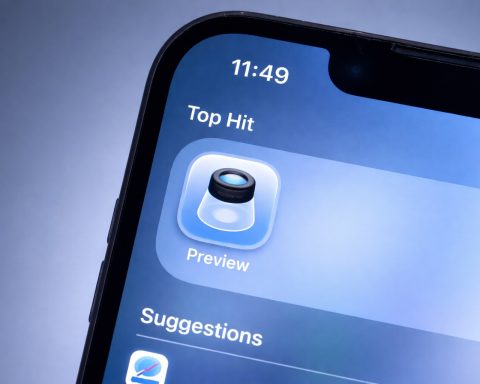
Apple’s built-in Preview app in iOS 26 finally makes it easy to edit PDFs on iPhone—add text, sign documents, scan paperwork into PDFs, manage pages, and export files without third‑party apps. On January 10, 2026, fresh how‑to coverage is shining a spotlight on one of iOS 26’s most practical “everyday” upgrades: Preview on iPhone. The long‑time Mac utility has become a dedicated iPhone workspace for PDF editing, form filling, document scanning, signatures, page management, and exports—all in one place.
January 10, 2026
iOS 26 Preview App on iPhone: How to Scan, Sign, Edit, and Protect PDFs (Dec. 31, 2025)

iOS 26 Preview App on iPhone: How to Scan, Sign, Edit, and Protect PDFs (Dec. 31, 2025)

Apple’s iOS 26 introduced something iPhone users have wanted for years: a dedicated Preview app — the same name as the longtime Mac utility for quick PDF and image work — now rebuilt for iPhone as a first‑party hub for documents. Instead of bouncing between Files, Mail attachments, and third‑party PDF editors, iOS 26 puts scanning, form filling, signatures, annotations, and exporting in one place. Apple Support+1 On December 31, 2025, this might sound like a “small” software feature — but it’s the kind of practical change that quietly reshapes how people use their iPhone every day. In a recent hands‑on, 9to5Mac highlighted how Preview turns iPhone into a more focused PDF workspace, especially for big life admin moments where
December 31, 2025
New West Virginia ‘Heirloom’ App Aims to Break Doomscrolling Habits and Help People Remember What Really Matters

New West Virginia ‘Heirloom’ App Aims to Break Doomscrolling Habits and Help People Remember What Really Matters

CLARKSBURG, W.Va. — November 28, 2025 — In a state known for passing stories down through generations, a new West Virginia–built app is taking aim at a very 2025 problem: we’re capturing more moments than ever, but spending less and less time actually living them. Heirloom: Capture What Matters, a mobile app created in Clarksburg, is designed to let people document their lives without posting to social media — and without the endless, anxiety-inducing scroll that usually follows.Google Play+1
November 28, 2025
Apple’s New iPhone App Is the Game‑Changing Document Scanner We’ve Been Waiting For

Apple’s New iPhone App Is the Game‑Changing Document Scanner We’ve Been Waiting For

Apple has officially released iOS 26, and tucked inside is a surprise new app called Preview moneycontrol.com. If that name sounds familiar, it’s because Mac computers have had a Preview app for decades – in fact, it first appeared way back in 1989 on the Mac’s predecessor OS popsci.com. On macOS, Preview became the go-to utility for quickly opening images and PDFs, doing light edits, and digitally signing documents. Until now, iPhone users never had an equivalent built-in tool, relying instead on a mix of the Files app, Markup in Photos, or third-party apps to handle these chores. With iOS 26, Apple has finally brought this versatile app to its mobile devices popsci.com, instantly recognizable by the Mac-like icon that
October 17, 2025
Google Keep Users Stunned by New Reminders Update – Google Tasks Takes Over

Google Keep Users Stunned by New Reminders Update – Google Tasks Takes Over

For years, Google Keep and Google Tasks — two of Google’s best-known productivity apps — felt oddly disconnected despite their overlapping purpose. Google Keep is a popular note-taking app that let users set time or location reminders on notes, while Google Tasks is a to-do list manager for tasks and reminders. Many Google users have long wanted these two to work seamlessly together, and now, “thankfully, that’s now changing.” as one report put it bgr.com. Google actually confirmed in 2024 that it planned to unify its reminder systems. It announced that any reminders created in Keep would “automatically save to Google Tasks” over the coming year blog.google blog.google. This was part of a broader effort: since early 2023, Google has
October 16, 2025
Google’s Gemini AI Takes Over Your Calendar – No More Back‑and‑Forth on Meeting Times

Google’s Gemini AI Takes Over Your Calendar – No More Back‑and‑Forth on Meeting Times

For anyone who’s ever suffered the tedious “When are you free to meet?” email tango, Google’s latest Workspace AI perk feels like a godsend. The new “Help me schedule” button in Gmail is essentially a personal scheduling assistant living right inside your inboxtheverge.com. It harnesses Google’s Gemini AI – the tech giant’s advanced generative AI – to handle the grunt work of meeting coordination. When you’re emailing someone about setting up a meeting, Gmail will now detect the scheduling intent and proactively offer to helptheverge.com. With one click, it scans your Google Calendar for open slots and pops up a neatly formatted list of times you could meettheverge.com. You can think of it as Gmail saying, “Don’t worry, I’ve checked
October 14, 2025