Published: December 6, 2025
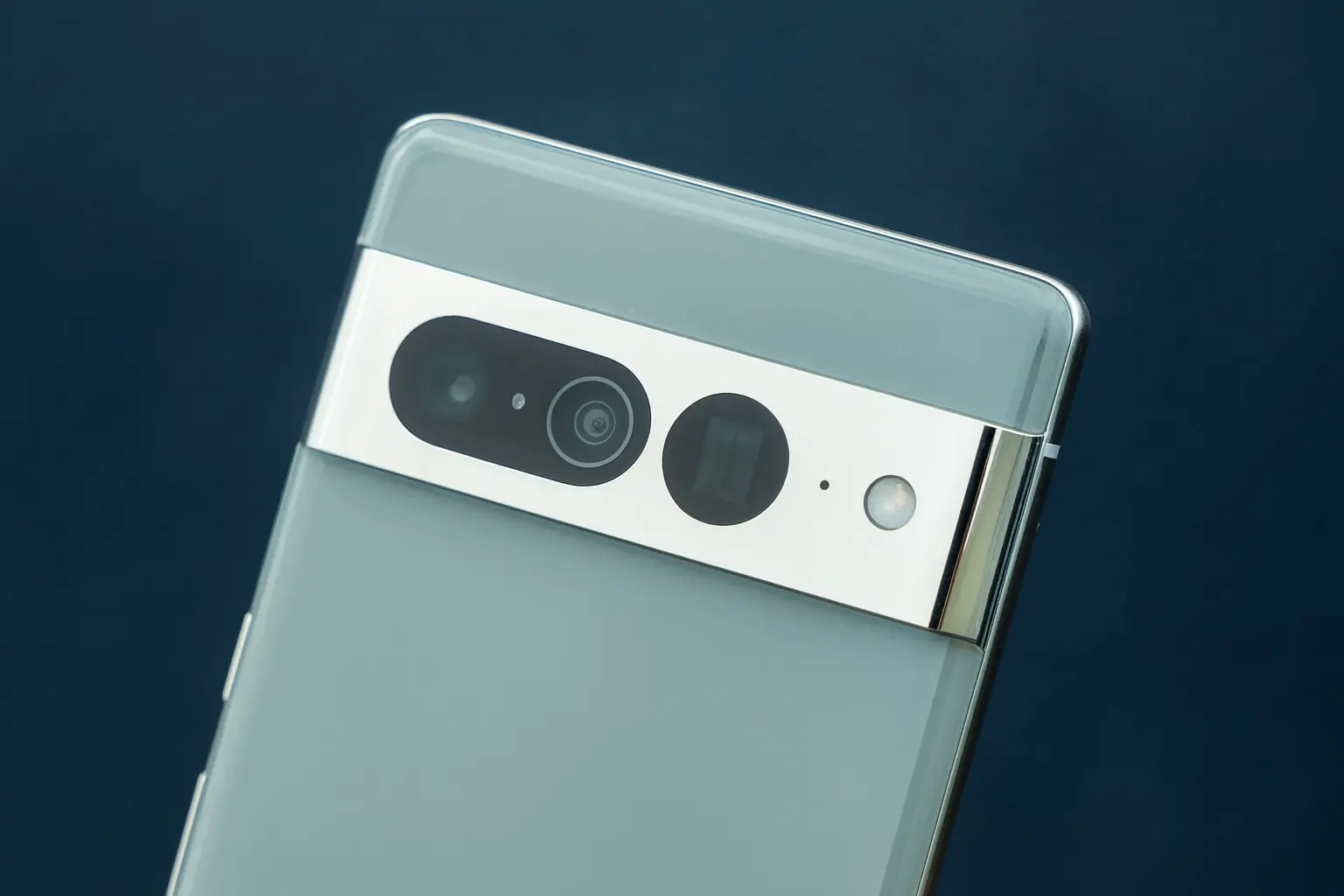
Nintendo Switch 2 owners with a Google Pixel phone just got a very handy upgrade: you can now plug your Pixel straight into the Switch 2 and use it as a full‑fledged webcam for GameChat, no capture card, adapters, or third‑party apps required.
Reports from Android Authority, The Verge, Nintendo Life, GoNintendo, Engadget and others all confirm that recent updates have quietly flipped the switch on this long‑requested combo. Engadget
Below is everything you need to know: what changed, how to set it up, which Pixel models work, and why this matters for both Nintendo and Google.
What actually changed?
When Nintendo Switch 2 launched in June, GameChat debuted as Nintendo’s new built‑in voice and video system, letting friends chat, share screens and appear on camera while playing — up to 12 people in a chat, with several faces appearing in compatible games when a USB‑C camera is connected. GoNintendo
The console supports standard USB Video Class (UVC) webcams, including Nintendo’s own camera accessory. But at launch, Pixel phones were the frustrating exception:
- Android Authority’s early tests showed that when a Pixel was set to “Webcam” mode and plugged into Switch 2, the console briefly detected it and then dropped the connection. Android Authority
- Community reports described what looked like a USB “handshake” issue: the phone advertised itself as a UVC camera, but the Switch 2 wouldn’t stay connected. FindArticles
That’s now changed. Over the last couple of days:
- Android Authority confirmed that multiple Pixels now stay connected and function normally as Switch 2 webcams for GameChat. Android Authority
- The Verge independently tested a Pixel 9 Pro running the Android 16 December build, plugging it directly into the Switch 2’s top USB‑C port and successfully using it as the GameChat camera with a single cable. The Verge
- GoNintendo and other gaming sites amplified the discovery after community members demonstrated it working in real game sessions. GoNintendo
Nintendo Life ties the timing to Google’s November 2025 Pixel update, pointing to official patch notes that mention a fix for webcam mode not working properly with connected devices in certain conditions. Nintendo Life Engadget’s coverage goes in the same direction, noting that the November Pixel Feature Drop resolved a bug that had prevented Android’s two‑year‑old webcam feature from playing nicely with the Switch 2. Engadget
The exact split of responsibility between Nintendo firmware and Google’s patches isn’t fully clear, but from a user’s perspective the headline is simple:
If your Pixel is up to date, it now behaves like a standard USB webcam on Nintendo Switch 2.
How Pixel’s webcam mode works with Switch 2
Under the hood, this compatibility is powered by Android’s “Device as Webcam” feature:
- Since Android 14 QPR1, supported phones can present themselves as a UVC (USB Video Class) camera over a regular USB cable. Android Open Source Project
- Android Authority notes that Google is, for now, effectively the only Android vendor shipping this system‑level UVC webcam mode on its phones, which means Pixel devices can act as plug‑and‑play webcams without third‑party apps. Android Authority
On the Nintendo side, the Switch 2’s GameChat system was built to accept standard UVC webcams — the same protocol used by most PC webcams and many console camera accessories. FindArticles
Now that the handshake bug is fixed, the two standards finally line up:
- Your Pixel exposes itself as a UVC camera when you choose “Webcam” in USB preferences. Google Help
- Switch 2 sees a generic camera device and treats it just like any other supported webcam for GameChat. The Verge
The result is a direct, wired, low‑latency video feed that’s ideal for party chat and streaming your reactions during multiplayer.
How to use your Google Pixel as a Nintendo Switch 2 webcam
Here’s a step‑by‑step guide based on Google’s webcam documentation, Nintendo’s GameChat guides, and the outlets that tested the combo. Google Help
1. Update your Pixel
- On your Pixel, go to Settings → System → System update.
- Install all available updates; you want at least the November 2025 Pixel update or newer, which includes a fix for webcam mode failing with some connected devices. Nintendo Life
If you don’t see the “Webcam” option when you plug into a computer, your phone either isn’t updated or isn’t one of the supported models (more on that below).
2. Update your Nintendo Switch 2 and enable GameChat
- On your Switch 2, open System Settings → System → System Update and install the latest firmware.
- Make sure you’ve set up GameChat:
- You’ll need a Nintendo Switch 2 console (GameChat doesn’t work on the original Switch).
- A Nintendo Account with phone‑number verification enabled (Nintendo uses SMS verification as a safety step for GameChat).
- A Nintendo Switch Online membership is normally required, but Nintendo is offering GameChat free until March 31, 2026 as a launch promotion.
3. Connect your Pixel to the Switch 2
- Use a good USB‑C to USB‑C cable that supports data, not just charging. (FindArticles and other guides specifically recommend a solid, certified cable for stable UVC connections.) FindArticles
- Plug one end into the top USB‑C port of the Switch 2 (the one used for webcams and accessories). The Verge
- Plug the other end into your Pixel.
You should see a notification on your Pixel asking what to do with the USB connection.
4. Set your Pixel to “Webcam” mode
- On the Pixel, tap the USB notification.
- In USB preferences, choose “Webcam” (wording can vary slightly, but it will be the webcam option). Google Help
- The phone will now advertise itself as a UVC camera.
You can still use your phone for other tasks while it’s in webcam mode; the video stream continues in the background, pausing only if another app uses the camera. Google Help
5. Select the Pixel as your camera in GameChat
- On the Switch 2, launch GameChat (or join a GameChat session from a supported game).
- Go into camera or device settings within GameChat.
- Your Pixel should appear as a standard webcam option; select it. FindArticles
- Frame your phone using a stand or tripod and you’re good to go — your face will appear alongside your gameplay feed for friends in the chat. FindArticles
6. Basic troubleshooting tips
If your Pixel isn’t showing up:
- Unplug and re‑plug the cable, then reselect Webcam in USB preferences. FindArticles
- Try a different, known‑good USB‑C cable.
- Make sure both the Switch 2 and your Pixel are fully updated. Android Authority
- Check that GameChat is enabled and that any parental controls allow camera use.
Which Pixel phones work as Switch 2 webcams?
Google’s official docs and community testing indicate that the USB webcam mode is available on modern Pixel phones running Android 14 QPR1 or later. Android Open Source Project
Coverage of the Switch 2 compatibility specifically calls out:
- Pixel 8 family, Pixel 7 series, and Pixel 6 series as supporting Android’s native webcam mode and successfully connecting to Switch 2. FindArticles
- Pixel 9 Pro, which The Verge used in its own Switch 2 testing, running the Android 16 December release. The Verge
- Community comments confirming the feature works on devices like the Pixel 7a once the November 2025 update is installed. Nintendo Life
Older Pixels or non‑Pixel Android phones may still rely on third‑party apps or tricks (like network streaming or capture cards) and won’t behave as clean UVC webcams in the same way. The Verge
Because firmware support can vary by region and carrier, the quickest way to check is:
- Plug your Pixel into a PC or Mac.
- If you see “Webcam” as a USB option and it works there, you’re very likely good to go on Switch 2 as well.
Why this is a big deal for GameChat and Switch 2 players
Until now, fully using GameChat’s video features meant buying:
- Nintendo’s official Switch 2 camera, or
- A third‑party USB‑C webcam verified to work with the console.
Coverage of Switch 2’s launch highlighted how confusing webcam compatibility was, with mixed results depending on the brand and even individual models. The Verge
Letting Pixel phones double as webcams changes the equation:
- Fewer accessories to carry. For players who travel with their Switch 2, the phone they already have becomes the camera — something The Verge and Engadget both frame as a big quality‑of‑life win. The Verge
- Zero extra cost if you already own a Pixel, compared with buying a dedicated webcam or Nintendo’s accessory. Android Authority
- Higher image quality than many cheap webcams, thanks to modern Pixel camera hardware and Android’s improvements to webcam mode (including newer “High‑Quality” webcam options introduced in Android 15 betas). Android Authority
For Nintendo, this also lowers the barrier to entry for GameChat, one of the console’s signature social features. If more people can join video chats using hardware they already own, it becomes easier to justify designing games and events around those features.
How this fits into the bigger tech trend
There are some interesting knock‑on effects here:
- Phone‑as‑peripheral is becoming normal. Using your smartphone as a webcam is already common on PCs; having the same idea work seamlessly on a console nudges other platform holders (and phone makers) to follow suit. Windows Central
- Pressure on other Android brands. Because Google is currently the only major vendor shipping system‑level UVC webcam mode on phones, this Switch 2 win is effectively a Pixel exclusive. Android Authority If gamers start asking “why doesn’t my other Android phone do this?”, that’s a subtle marketing boost for Pixel.
- More reasons to care about firmware updates. Nintendo Life explicitly ties Switch 2 compatibility to the November 2025 Pixel update, and Engadget talks about the November Pixel Drop as the fix. Nintendo Life It’s a neat reminder that boring‑sounding monthly updates can quietly unlock new console‑class tricks.
Should you switch to a Pixel just for this?
Probably not on this feature alone — but if you already own a Pixel and a Switch 2, this is a big free bonus:
- You get a travel‑friendly GameChat setup with one cable.
- You avoid compatibility roulette with random webcams.
- You can reuse the same webcam setup for your laptop, desktop and now your console. FindArticles
If you’re shopping for a new phone and you’re deep into Nintendo’s ecosystem, though, “doubles as a Switch 2 webcam” just became a surprisingly practical checkbox for the Google Pixel line.
Quick recap
- Yes, Google Pixel phones now work as webcams on Nintendo Switch 2 for GameChat over a simple USB‑C cable. Android Authority
- You’ll need:
- A recent Pixel with Android 14 QPR1+ and the November 2025 update or later. Nintendo Life
- A Nintendo Switch 2 with the latest system update and GameChat enabled.
- A data‑capable USB‑C cable. FindArticles
- Once connected, choose “Webcam” on the Pixel’s USB settings, select it as a camera in GameChat, and you’re ready to stream your face alongside your gameplay.
For now, this is one of those rare times when being in the intersection of Pixel owner and Switch 2 player feels like winning a very specific lottery.