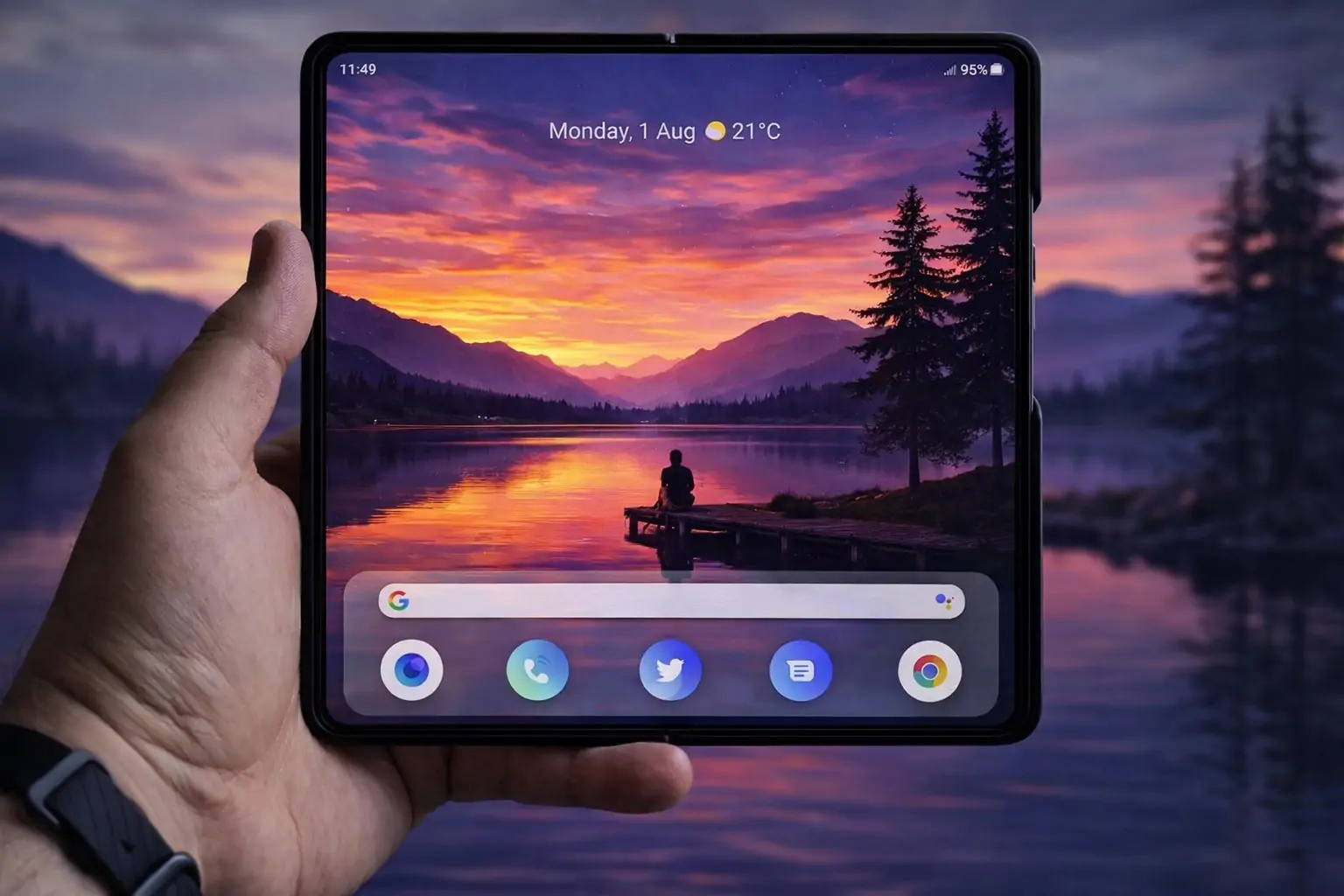
January 12, 2026 — Foldable phones are having a moment again, but the most interesting shift isn’t only about hardware. It’s about workflows: split layouts, widget-first dashboards, and faster one-handed navigation. And here’s the twist—you don’t need a foldable to benefit.
A new wave of “foldable-first” Android launchers is letting everyday slab phones borrow the productivity tricks that normally shine on dual-screen devices. One example catching attention today is Octopi Launcher, which is designed for foldables but works on standard phones as a productivity-focused home screen replacement. 1
At the same time, the broader Android and foldable ecosystem is evolving quickly—from crease-free displays shown at CES 2026 to new Pixel Launcher speed boosts and rumored Android privacy upgrades. Here’s what’s happening—and how to use that momentum to make your phone feel faster and more “multi-screen,” even if it never folds.
What’s happening today, Jan 12, 2026: the foldable-and-productivity news you should know
1) Samsung’s “near-perfect” crease-free foldable display is fueling iPhone Fold speculation
A report published today highlights Samsung’s CES 2026 demo of a foldable panel with virtually no visible crease, reigniting rumors that Apple’s first foldable iPhone could prioritize a crease-free screen experience. (Important: details about Apple’s device remain unconfirmed and rumor-based.) 2
2) Pixel Launcher is getting faster—by letting you open apps directly from search
Google is rolling out a change that allows Pixel owners to type an app name, then press Enter to open it—no need to reach up and tap the icon result. It’s a small tweak, but it directly targets a real productivity pain point: one-handed app launching. 3
3) Android 17’s rumored App Lock could hide notification contents for locked apps
According to findings from an Android Canary build, Google appears to be developing a native App Lock, with hints that notifications from locked apps may show generic placeholders like “New message” or “New notification,” rather than revealing content. 4
4) Octopi Launcher just updated days ago, and its feature list reads like a foldable productivity checklist
Octopi’s Play Store listing shows a recent update (Jan 9, 2026) and highlights a set of features that lean hard into multitasking and organization—widget stacks, pinned widgets, tag-based app organization, dual layouts, and more. 1
Why foldable-style launchers suddenly matter (even if you’ll never buy a foldable)
Foldables are pushing Android in a direction where the “home screen” is less about a grid of icons and more about context:
- “Cover screen” vs “inner screen” layouts
- Widget dashboards that act like mini control panels
- App drawers optimized for quick navigation and reachability
- Work/personal separation and “private spaces” becoming mainstream expectations
New foldable hardware is making headlines—like Motorola’s newly announced Razr Fold (a book-style foldable with a large internal screen) and Samsung’s multi-fold concepts—but the software ideas can trickle down to regular phones faster than the hardware does. 5
That’s where foldable-first launchers come in: they let you practice the foldable workflow on the phone you already own.
Octopi Launcher: the foldable workflow, translated for slab phones
Octopi Launcher positions itself as a new-style home screen with foldable support, but several of its core features are especially useful on standard phones, because they reduce taps and improve one-handed speed.
Here are the key Octopi features that stand out for productivity:
- Auto-scrolling widget stacks (think: rotating “cards” of information)
- Float/pin a widget on top of home screens (quick-glance tools)
- Drawer icons as tiles (faster visual scanning vs tiny icons)
- App drawer folders + favorite apps
- Tag-based organization (apps can belong to multiple categories)
- Swipe actions on icons (one icon, multiple shortcuts)
- Different layouts in portrait and landscape
- Foldable support with totally different layouts on each screen
- Reachability mode for the app drawer
- Options like hiding status/navigation bars, notification badges, and locking the layout
- Private space and work profile support 1
The most important “slab phone” trick: treat portrait and landscape like two different screens
On a foldable, Octopi can assign different layouts to the cover display vs the inner display. On a slab phone, you can mimic that behavior by using:
- Portrait = your “quick access / commuting” layout
- Landscape = your “desk mode / deep work” layout
That’s surprisingly powerful if you use your phone in landscape with a stand, keyboard, or during split-screen sessions.
How to set up a foldable-style productivity home screen on any Android phone
You can get a “foldable launcher” experience without copying a foldable phone exactly. The goal is to build two modes: glance and work.
Step 1: Build a “glance” home screen (fast, one-handed)
Prioritize things you check constantly:
- Calendar + next meeting
- Tasks / reminders
- Messaging shortcuts
- One-tap music / podcast controls
- A small group of “always needed” apps
Octopi’s reachability mode and tile-style drawer can help reduce top-of-screen stretching. 1
Step 2: Build a “work” home screen (widgets + grouped tools)
For the second layout (often landscape):
- A bigger calendar or agenda widget
- Notes widget (or quick capture)
- Email + chat shortcuts
- A focused app folder or tag group (“Work”, “Finance”, “Creator”, etc.)
Use tag organization so an app can appear under multiple mental buckets without duplicating icons everywhere. 1
Step 3: Turn widgets into a command center
The feature that makes Octopi feel “foldable” even on slab phones is the widget emphasis:
- Widget stacks keep multiple info sources in the same footprint
- Pinned/floating widgets can keep a key tool always available (like a timer, to-do list, or music controls) 1
Step 4: Add “one icon, multiple actions”
If you repeatedly open two functions from the same app (for example: camera vs video, or one chat vs another), set up swipe actions on icons so one spot on your home screen does double duty. 1
The bigger picture: Android is optimizing for speed—and launchers are following
The Pixel Launcher change rolling out this week—press Enter to open a searched app—shows Google is still chasing a core goal: fewer taps to get where you’re going. 3
Third‑party launchers like Octopi take that same idea further by redesigning the entire flow:
- from “tap icon → open app”
- to “glance widgets → swipe action → tag view → open”
For power users, it’s often the difference between a phone that feels like a pocket computer—and one that feels like an app drawer with notifications attached.
Privacy and security: don’t ignore this part when changing launchers
When you replace your launcher, you’re replacing a core part of your device experience—so it’s smart to check permissions and update hygiene.
Octopi and Accessibility Service
Octopi’s Play Store listing states it uses AccessibilityService permission for screen-off functionality, and says it is not used for data collection. 1
Android security patches in January 2026
Google’s Android Security Bulletin for January 2026 notes that devices with security patch level 2026‑01‑05 or later address the issues covered in that bulletin. Updating matters regardless of what launcher you run.
Why this trend could accelerate in 2026
Foldables are pushing forward on two fronts:
- Hardware is removing old objections (like visible creases), as demonstrated by Samsung Display’s CES 2026 crease-free panel coverage across multiple outlets. 6
- Software is becoming the real differentiator, especially as devices expand—book-style foldables like Motorola’s Razr Fold, and multi-fold devices like Samsung’s Galaxy Z TriFold. 5
In that environment, experimenting with foldable-style launchers on slab phones makes a lot of sense: you’re effectively future-proofing your workflow before your next upgrade cycle.
Bottom line
If you’ve been curious about foldables but aren’t ready to buy one (or just don’t want the cost and durability trade-offs), a foldable-first launcher is the easiest way to test the productivity upside right now.
With Octopi Launcher getting frequent updates and packing features explicitly built for multi-screen layouts—while Android itself pushes app-launch speed and rumored privacy upgrades—January 2026 is shaping up to be a surprisingly good moment to rethink your home screen. 1